
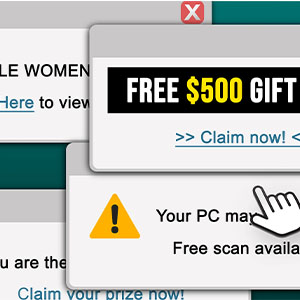
Read this before you click on the next pop-up
9/21/2026

At Stanford FCU, helping protect your finances and personal information is one of our top priorities.

One scam we're seeing more often involves alarming pop-up messages that suddenly appear on your computer, tablet, or smartphone. These warnings may look official and say things like:

  • Your computer has a virus! 
  • Your Norton subscription has expired!
  • Suspicious activity has been detected!
  • Your device has been locked!
  • Call this number immediately for support!

These messages are designed to scare you into acting quickly. They may use the names of trusted companies like Microsoft, Apple, Google, or Norton to appear legitimate, but they're often scams.

If a pop-up appears, don't panic!
  • Don't click on the pop-up
  • Don't call the phone number
  • Don't give anyone access to your computer

Scammers may claim they need to "fix" a problem on your device, but their real goal is often to gain access to your device, personal information, online accounts, or money.

What should you do?

  • Close the pop-up by clicking the X in the corner of the window. Avoid clicking any other buttons or links.
  • Restart your device if your screen appears frozen.
  • Never call a phone number displayed in a pop-up message.
  • Never share passwords, account information, or security codes.
  • Pause and ask for help if something doesn't feel right.

Scammers often create a sense of urgency and fear, hoping you'll act before you have time to think things through. Taking a moment to pause before clicking is one of the easiest ways to protect yourself from fraud and financial exploitation.


0926 Fraud Education - Img2

We're here to help

If you're ever unsure whether a message is legitimate, contact us before taking action. Call us at 888.723.7328, use Chat, or schedule a virtual appointment. A quick conversation could help you avoid a scam and keep your accounts secure.