Digital Banking Help
General login questions
We make it easy and secure to access your accounts wherever you are with Digital Banking. Find quick answers below if you need help logging in.
Your password must be 8–30 characters long and include at least one number.
To make logging in easier, you can use fingerprint or Face ID. It lets you login quickly without needing to remember your password, while adding an extra layer of security to help protect your accounts.
If you need to reset your password, you can click on Forgot Password and enter your Login ID.
You will then choose a verification method for us to send you a Secure Access Code. Once you enter the Secure Access Code, you’ll be able to change your password. This ensures that a fraudulent person is not trying to gain access to your accounts. Do not share the Secure Access Code with anyone!
You can change your passwords any time within Digital Banking or the mobile app.
If you enter incorrect login information several times in a row, your account will be locked for security reasons. You can use the Unlock link located right below the login box, then use the Forgot Password link located next to it.
If you forgot your Login ID, select Forgot Login ID and enter your information to verify your identity. You can choose to receive your Login ID by text or email using the contact details linked to your account.
A Secure Access Code is a 6-digit number required for a first-time login, and for devices that are not registered with Stanford FCU’s Digital Banking. This security measure helps ensure that unauthorized users can’t get access to your accounts. You can choose to receive this Secure Access Code via text or phone call.
Stanford FCU will NEVER ask you to read out a Secure Access Code over the phone. Do not share this code with anyone, not even us!
Yes. You should use the code right away to log in. If your code expires, you can request another Secure Access Code. If you have any issues, please call us at 888.723.7328.
We can only send a Secure Access Code to a phone number that we have on file for you. If you need immediate access, please call us at 888.723.7328 so we can verify your identity.
There are several reasons that you may need to re-register a browser or device:
- Your browser settings are configured to delete cookies
- Your browser cookies for Digital Banking were removed
- You use a browser plugin that automatically removes browser cookies when you close the browser
- Your account requires a secure access code each time you log in
- You logged in with a different browser on the same registered computer/device
- You deleted and reinstalled the mobile app
- For security reasons, we might have reset all active registrations for all users
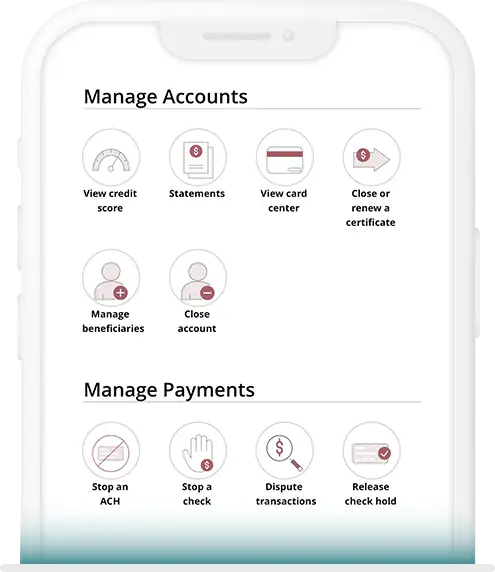
- View your account balances and transactions
- Deposit checks
- View and store eStatements and other documents
- Open another account, apply for a loan or credit card and check the application status
- Renew Certificates or choose different terms and options
- Earn gift cards while boosting your financial IQ with Zogo in Digital Banking
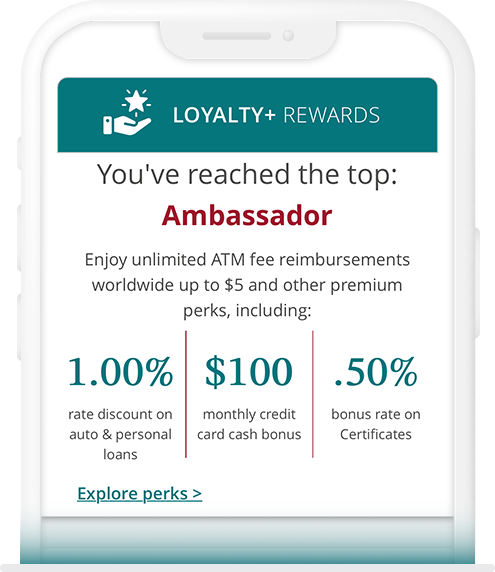
- Check your Loyalty+ rewards status
- Generate your unique promo code to refer friends (you'll each get a cash bonus!)
- Get cash bonuses when you buy gift cards (for yourself or others) through Digital Banking
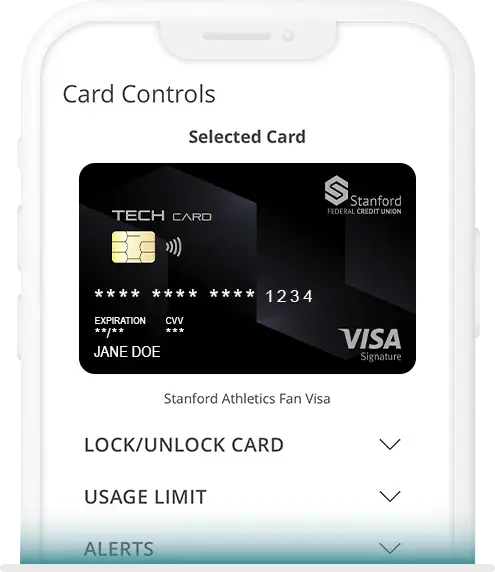
- Instant digital card
- Lock and unlock your debit and credit cards
- Set up text alerts to monitor transactions
- Set spending limits
- Submit a travel notification so we don't block your cards
- View and redeem credit card rewards
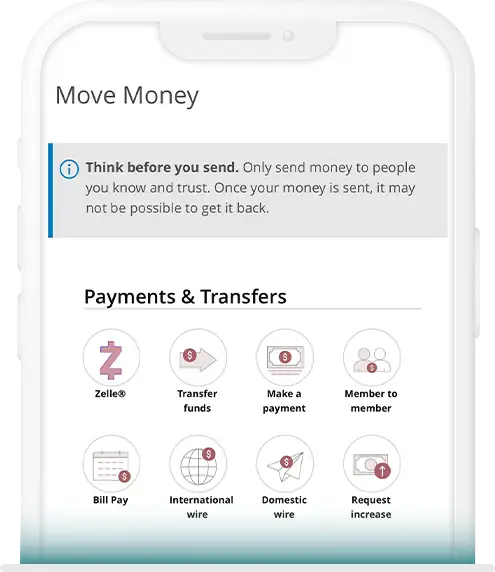
- Transfer funds between your accounts, other members and your other (external) banks
- Make a payment to your Stanford FCU loans and credit cards
- Automate your loan and credit card payments
- Pay bills
- Send money to anyone with a mobile phone or email address through Zelle®
- Send and receive domestic and international wires
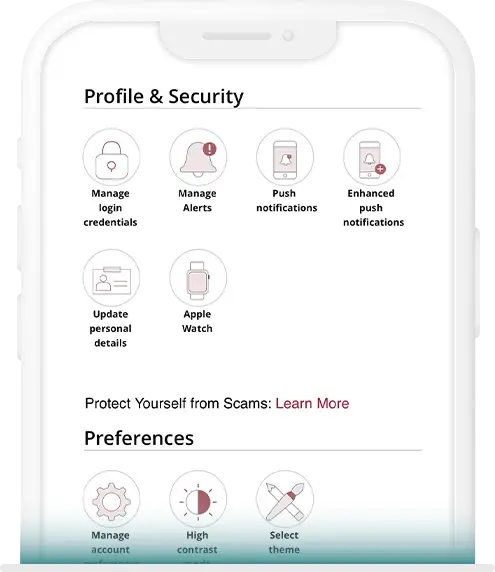
- Touch and face ID for personalized protection
- Go paperless with important documents and statements to keep them out of the mail
- Use secure Message for encrypted communications and to send and receive documents
- Manage your user information: Address, phone, email, Login ID and password
- Set security alerts